- ERP GovCon
- Overview
- Features
- Project Management
- Contract Management
- SubK Management
- Track Time & Expense
- Analytics
- Forecast & Plan Resources
- Financials
- Spend Management
- Assisted Bank Reconciliation
- DCAA Compliance
- FedRAMP Compliance
- Champ™ Agents
- Add ons
- ProposalAI
- Analytics Studio
- AR Automation
- AP Automation
- Asset, Inventory, and Manufacturing
Features
- ERP GovCon
- Overview
- Features
- Project Management
- Contract Management
- SubK Management
- Track Time & Expense
- Analytics
- Forecast & Plan Resources
- Financials
- Spend Management
- Assisted Bank Reconciliation
- DCAA Compliance
- FedRAMP Compliance
- Champ™ Agents
- Add ons
- ProposalAI
- Analytics Studio
- AR Automation
- AP Automation
- Asset, Inventory, and Manufacturing
Automate Vendor Invoice Processing
Reduce Manual AP Work. Improve Financial Control.
Unanet Vendor Invoice Automation uses AI to streamline invoice processing and approval workflows directly within Unanet GovCon ERP. Reduce manual data entry, improve invoice accuracy, and give finance teams greater visibility and control over accounts payable. Process invoices more efficiently while helping maintain timely, accurate vendor payments.
Key benefits of Vendor Invoice Automation
Improve operational efficiency
-
Reduce manual invoice entry and processing time.
-
Free accounting teams to focus on higher-value work.
-
Improve working capital management with more efficient AP workflows.
Strengthen Financial Control
-
Reduce data entry errors and duplicate invoices.
-
Improve visibility into payment timing and vendor terms.
-
Maintain accurate, traceable AP records to support audit readiness.
Improved Vendor Relationships
-
Take advantage of available early payment discounts.
-
Reduce late payments with more efficient invoice approvals.
-
Automatically match vendor invoices to purchase orders.
A More Efficient Way to Manage Accounts Payable
Manual invoice entry, purchase order matching, and payment tracking take valuable time away from your accounting team. They also increase the risk of errors, duplicate payments, and missed deadlines.
Unanet Vendor Invoice Automation streamlines these processes within GovCon ERP, helping your team process invoices faster, maintain financial control, and pay vendors on time.
500+
Estimated annual time firms spend on accounts payable processing.95%
of companies report improved accuracy, efficiency, and processes with AP automation.81%
of companies using AP automation report lower processing costs.
The Unanet Advantage
Intelligent Invoice Processing, Built Into GovCon ERP
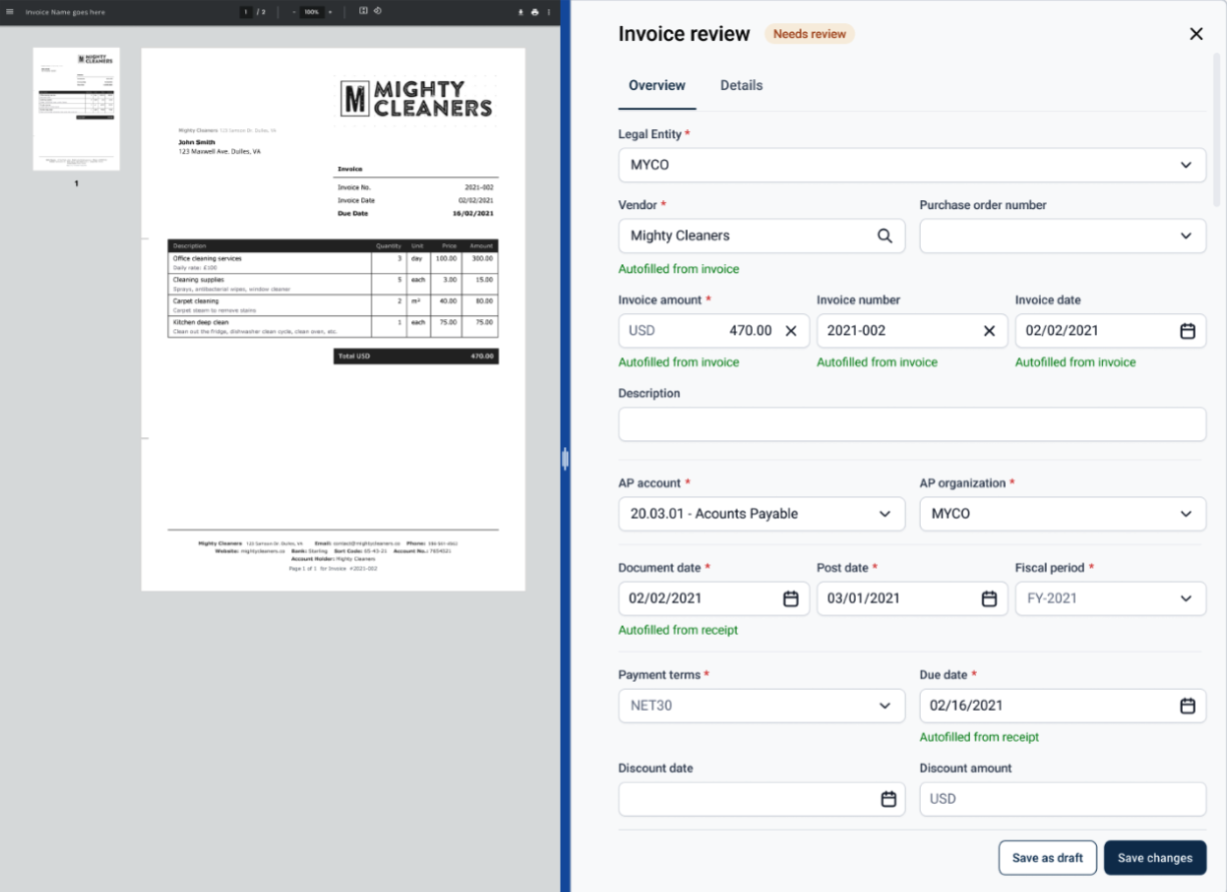
Unanet Vendor Invoice Automation combines AI-powered invoice capture, automated data entry, and approval workflows within Unanet GovCon ERP. Reduce manual processing, improve accuracy, and gain greater control over the procure-to-pay process while managing accounts payable and project financials in one connected system.
Key Features:
-
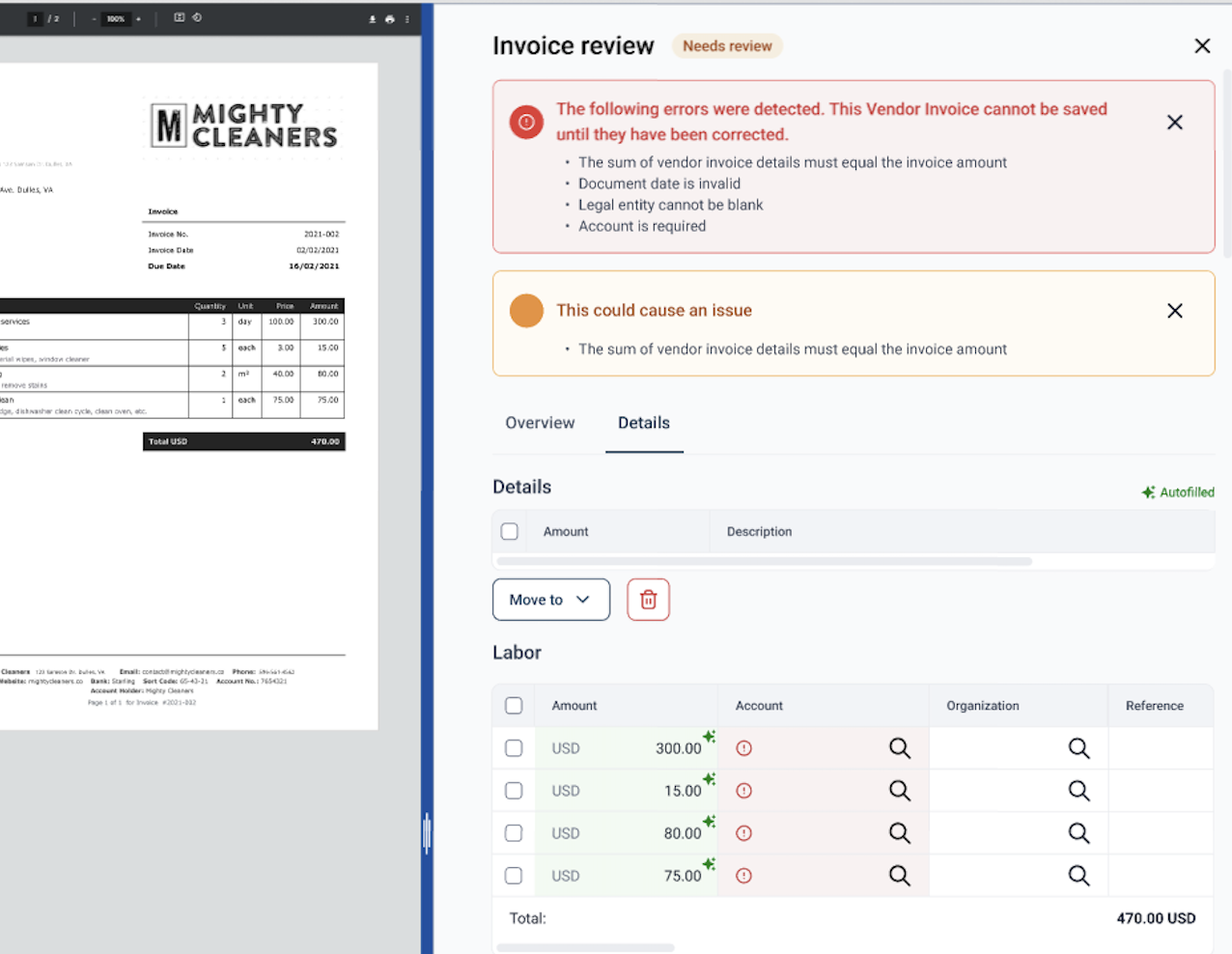
Automated Invoice Capture and Data Mapping
Automatically import vendor invoices and use AI to extract information and map it to the appropriate accounting fields, reducing manual data entry. -
Invoice Validation and Duplicate Detection
Identify potential duplicate invoices and automatically match invoices to purchase orders to improve accuracy and reduce payment errors. -
Automated Notifications
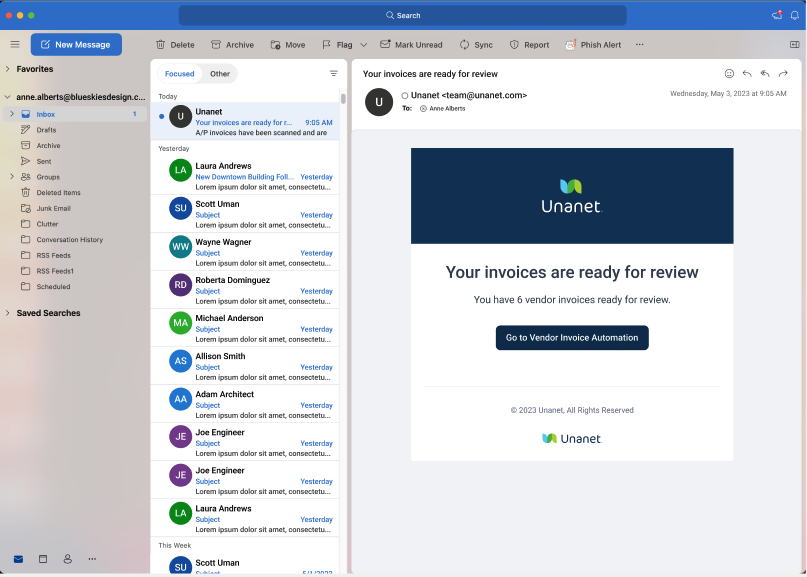
Notify users by email when invoices are uploaded and ready for review, helping keep approvals moving. -
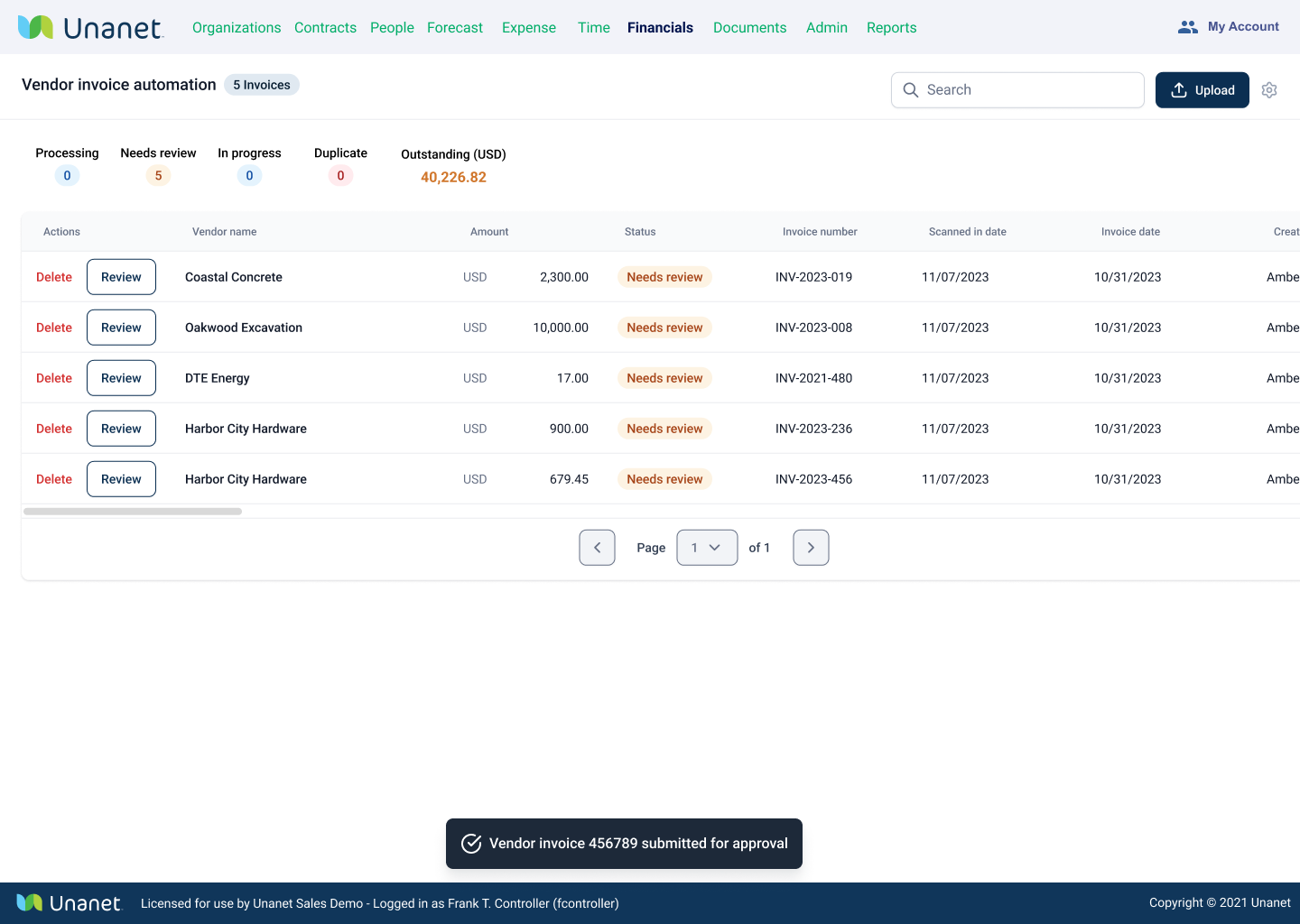
Invoice Processing Dashboard
Track invoice status in one place, including processed invoices, those in progress, items awaiting review, and potential duplicates.
Frequently Asked Questions
Unanet's Vendor Invoice Automation uses OCR and AI to read each invoice and auto-fill the vendor, invoice date, invoice number, due date, total, and line amounts, so your team reviews and confirms instead of keying everything by hand. In practice it removes the large majority of manual data entry, turning a process where firms spend hundreds of hours a year into a quick review-and-approve step—and it learns your preferences over time, so the more you use it, the more accurately it recognizes each vendor.
Yes. You can enable a dedicated AP inbox so invoices forwarded to a unique email address are ingested automatically, OCR'd, and dropped into a review queue—no manual uploading required. Most firms simply auto-forward their existing accounts payable mailbox to that address (Unanet recommends keeping it internal to avoid spam), and you'll get a notification when invoices are processed and ready to review. You can also still drag-and-drop or upload invoices in batches when you prefer.
Unanet runs an automated validation layer that safeguards against duplicate invoice entries and automatically matches invoices to their purchase orders. You choose how strict to be on duplicates—ignore, warn, or hard-stop—and when an invoice ties to a PO, Unanet pulls the project, account, and line detail straight from that PO onto the invoice, so spend is coded correctly and reconciled without manual lookup. This is the data control that keeps AP accounting audit-ready.
Yes. Unanet lets you auto-approve invoices from specific vendors (like your utility, internet, or rent bills) or below a dollar threshold you set, while everything else flows through your AP approval workflow. You can configure multiple rounds of approvers, and because invoices route by role inside the ERP, approvers act on them directly—no separate logins or bolt-on system—which reduces late payments and helps you capture early-pay discounts.
Vendor Invoice Automation is native to the Unanet GovCon ERP—built and supported by Unanet—so invoices, approvals, and the resulting accounting all live in one place rather than a disconnected AP tool. Once it's enabled it appears under Accounts Payable as a two-click setup, and approved invoices post straight to your general ledger against the right project and expense codes, giving you a controlled procure-to-pay flow inside the system you already use, with dashboards showing what's processed, in review, or flagged as a potential duplicate.
Unanet's Vendor Invoice Automation is purpose-built into a GovCon ERP, connecting invoice capture, PO matching, approvals, and the general ledger in one platform designed around the project-cost and audit realities of government contracting. Rather than re-keying invoices into a standalone tool and reconciling it back to your books, Unanet OCRs and codes invoices to the right project and expense, enforces duplicate and PO validation, routes approvals by role, and posts to the GL automatically—reducing the manual entry, processing cost, and input errors buyers consistently cite with disconnected AP processes.